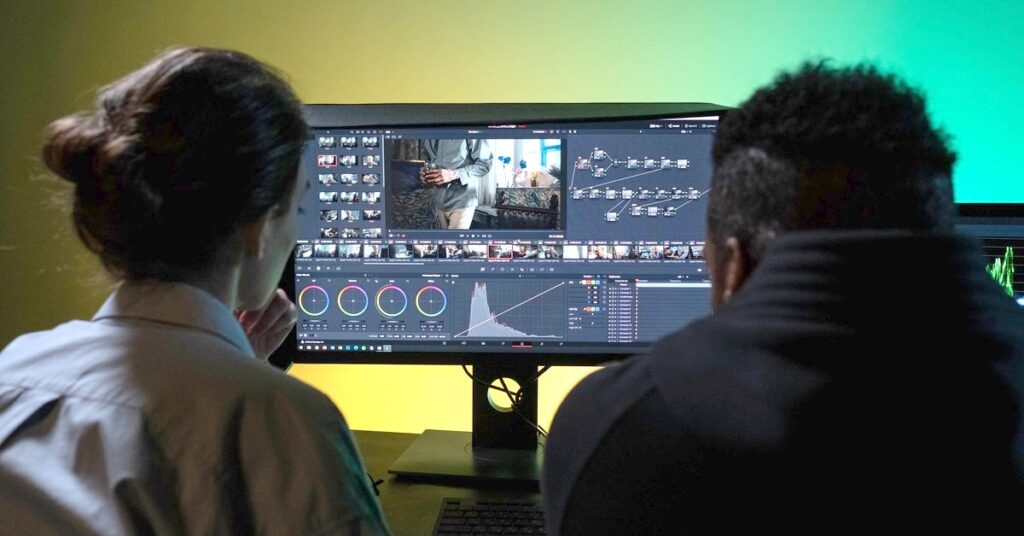
Video editing software in 2026 has split into two genuinely different categories, and most “best AI video editor” lists blur them together in a way that doesn’t help you choose. The first category is traditional editors that bolted AI features onto an existing timeline workflow — Premiere Pro, DaVinci Resolve. The second is tools built around AI as the primary way you interact with the footage — Descript, CapCut, Runway. A 2024-era bar of simply having any AI feature at all has given way to a more specific 2026 standard: AI needs to function as the primary interface, not a feature panel bolted onto manual scrubbing. Zapier
This matters because the “best” tool depends entirely on what you’re making, not on some universal ranking. A creator publishing three TikToks a day needs something completely different from someone editing a 45-minute podcast or producing client video for a local business. This guide breaks down the tools that actually matter for content creators in 2026, organized by what you’re trying to produce.
Quick Verdict
| If you make… | Use | Price |
|---|---|---|
| Talking-head videos, podcasts | Descript | ~$24/month |
| Daily TikTok/Reels/Shorts | CapCut | Free, Pro $7.99/month |
| Experimental/generative content | Runway | $12–$76/month |
| Professional, color-critical work | DaVinci Resolve | Free (Studio version paid) |
| Already-Adobe production workflows | Premiere Pro + Firefly | $22.99/month |
| Repurposing long content into clips | Opus Clip | Free tier + paid plans |
Descript — Best for Talking-Head and Podcast Content
Descript pioneered text-based video editing, and in 2026 it remains the most mature standalone tool for podcasters and talking-head creators. The core idea: your video gets transcribed automatically, and you edit the video by editing the text. Delete a sentence from the transcript, and the corresponding video clip disappears from the timeline. No scrubbing, no manual cutting. Zapier
For a 30-minute podcast episode, a rough cut with filler words and silences removed and captions generated can be ready in under 10 minutes using Descript’s Underlord assistant — compared to significantly longer using Premiere’s AI features, which still require manual timeline work. The Studio Sound feature handles audio cleanup that most other editors would require a separate tool for. Morph
The catch: Descript only really works if there’s a transcript to edit. For content without a clear spoken narrative — holiday clips, B-roll stitched together with music — its text-based approach doesn’t apply, and a traditional timeline-based workflow handles that better. It’s also weaker than Runway, Premiere, or Resolve once a project gets visually complex. Morph
Best for: podcasters, interview channels, tutorial creators, educators, corporate talking-head video. Not for: visually complex edits, motion graphics, or footage without dialogue.
CapCut — Best for Daily Social Content
CapCut, owned by ByteDance (TikTok’s parent company), is the most popular AI video editor by user count in 2026 — free, available across mobile, desktop, and web, and deeply integrated with TikTok’s format ecosystem. If your output is short-form vertical video published frequently, this is the default choice for most creators in 2026. MindStudio
What it does well: fast and accurate auto-captions across more than 20 languages, an enormous and constantly-updated template library tied to trending formats, reliable background removal, voice isolation, and auto-beat sync, plus a genuinely good touch-optimized mobile editing experience. The free tier is unusually generous for what it includes. MindStudio
Where it falls short matters for anyone scaling past casual use: projects over five minutes become unwieldy, there’s no multi-camera editing, no advanced color grading, and no brand asset management — every project starts from scratch. The AI generation features are basic next to dedicated tools like Runway. There’s also a structural risk worth noting: regulatory uncertainty tied to ByteDance ownership remains unresolved in some markets in 2026, which is worth factoring in if you’re building a business-critical workflow around it. MindStudio
Best for: daily social content, mobile-first creators, anyone who needs speed over depth. Not for: long-form projects, brand-consistent multi-video campaigns, or color-critical work.
Runway — Best for Generative and Experimental Work
Runway sits in a different category entirely: it’s less an editor and more a generation engine. Text-to-video, AI motion tracking, rotoscoping, and background removal that used to require specialized plugins are now a text prompt away. Runway is where AI video gets genuinely experimental — type a description and it generates the footage. Nxcode
Pricing runs from a free plan through Standard at $12/month, Pro at $28/month, and Unlimited at $76/month. The output quality is impressive, but the practical drawback for anyone running a real content schedule is speed — generating even a few seconds of video can take minutes depending on complexity, which makes it a poor fit for high-volume daily content. Nxcode
Best for: creative experimentation, B-roll generation, visual effects, concept visualization. Not for: fast turnaround daily content or anyone needing predictable rendering times.
DaVinci Resolve — Best Free Professional-Grade Option
If you want professional editing depth without a subscription, DaVinci Resolve is the strongest free option available in 2026. Its AI features — including Magic Mask and voice isolation — work well as point solutions inside a traditional timeline workflow, saving time on specific tasks rather than transforming the overall editing process. Substack
This is the honest distinction worth understanding across this whole category: DaVinci’s AI features assist a fundamentally manual workflow. You’re still doing real editing — Resolve just removes some of the tedious parts (rotoscoping, voice isolation, color matching). That’s different from Descript or Runway, where AI is doing structural work on your behalf.
The paid Studio version unlocks additional features through a one-time purchase rather than a subscription, which is worth knowing if you’re tired of monthly software fees.
Best for: color-critical work, creators who want real editing control with AI assist, anyone avoiding subscriptions. Not for: people who want AI to do the heavy lifting rather than just speeding up manual work.
Adobe Premiere Pro + Firefly — Best If You’re Already in the Adobe Ecosystem
Adobe Premiere Pro runs $22.99/month and remains the industry standard for editing, now enhanced with Firefly AI features. If you’re already paying for Creative Cloud and working across Photoshop, After Effects, and Premiere, the AI tools are a genuine productivity boost layered onto software you already know. GuruSup
The honest take for the ToolRevealed audience: for casual creators or anyone just making Instagram Reels, Premiere’s professional complexity and price point are overkill. This is a tool for people already running a professional editing workflow, not a starting point for someone testing AI-assisted video for the first time. Nxcode
Best for: professionals already in the Adobe ecosystem, client work requiring polish. Not for: beginners or casual creators — the learning curve and cost aren’t justified at that scale.
Opus Clip and Repurposing Tools — Best for Long-to-Short Conversion
A specific workflow has become standard in 2026: record one long piece of content (a podcast, a webinar, an interview) and automatically generate five to ten short-form clips from it. Tools like Opus Clip handle this by combining AI clipping, a flexible editor, caption control, and auto-reframing into one workflow specifically built for turning long videos into platform-ready shorts. MindStudio
This repurposing loop has become the default assumption for long-form content in 2026, not an optional extra — and the editors that handle it natively meaningfully outperform tools that treat short-form as an afterthought. If you’re already recording long-form content (a podcast, YouTube videos, livestreams) and not systematically repurposing it into shorts, this is the single highest-leverage gap in most creators’ workflows right now. Zapier
Best for: podcasters and YouTubers wanting automatic short-form output. Not for: creators without existing long-form source material — there’s nothing to repurpose.
The Realistic Time Savings
It’s worth being honest about what AI video editing actually changes versus what it doesn’t. Editing time per minute of finished video has dropped roughly 60-80% across the tools in this category — a five-minute talking-head edit that took four to six hours in 2022 now takes 30 to 60 minutes with any modern AI editor. Zapier
What hasn’t changed: judgment. AI handles the mechanical work — captions, rough cuts, format conversion — but narrative editing, pacing decisions, and emotional storytelling still require a human making creative choices. The honest framing, echoed across nearly every source on this topic: think of these tools as power tools for editing, not a replacement for editorial judgment. They make a competent editor faster. They don’t make footage with no story into a good video. MindStudio
Building a Realistic Stack
Very few creators need just one tool. The most common practical combination for 2026: a long-form-to-short-form repurposing tool paired with CapCut for quick mobile polish on the resulting clips. If you’re producing talking-head or interview content specifically, Descript replaces the repurposing tool as your primary editor, with CapCut still handling final social formatting. Zapier
For anyone doing client or business video — product demos, local business content, service walkthroughs — DaVinci Resolve’s free tier plus CapCut for social cutdowns covers most needs without a subscription stack.
Final Verdict
There’s no single best AI video editor in 2026 because the category has genuinely split into different tools solving different problems. If you’re a podcaster or interview creator, Descript’s transcript-based editing will save you more time than anything else on this list. If you’re publishing short-form content daily, CapCut’s combination of free pricing and trend-tracking templates is hard to beat. If you want generative, experimental footage, Runway is the only tool here built for that. And if you already have long-form content sitting unused, a repurposing tool like Opus Clip is probably the single highest-impact addition you can make to your workflow this year.
The mistake to avoid is picking based on hype rather than your actual content type. A tool that’s excellent for TikTok repurposing is the wrong choice for a 45-minute podcast, and vice versa. Match the tool to what you’re actually producing, not to whichever one trended this month.
You Might Also Like